
Use the MyUSD suite of applications to find contact information for faculty and staff at USD, find your way across campus, and keep tabs on news, scores, and schedules for all your favorite USD athletic teams.
Requirements and Restrictions
The MyUSD application is available for Apple and Android devices. If you have an unsupported mobile device, you can visit my.sandiego.edu in your phone's web browser.
Features
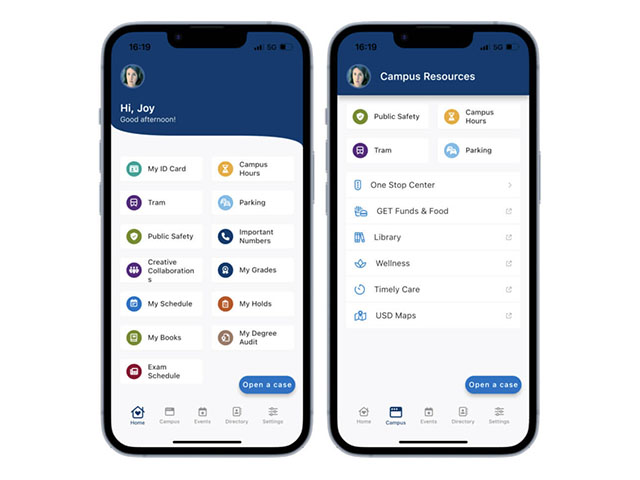
The new MyUSD App is built on best-in-class technology and has been redesigned with modern navigation and display options for a better user experience including a new horizontal menu bar which contains options like campus, events, directory, and settings. The MyUSD Mobile App has recently undergone some exciting updates, introducing new features that are sure to enhance the user experience of students and faculty alike.
Latest Updates
- Introduced a faster way to open a case with several service-based offices around campus including Information Technology Services, the One Stop Center, Residential Life, and Public Safety
- Implemented FaceID login, providing a more secure way to use the application from your mobile device.
- Rolled out the new and improved My Schedule, which consolidates class details, office hours, and rosters all in one convenient location.
- Launched an updated My Books, which provides students with quick access to the books they need for their upcoming classes.
- Updated the Exam Schedule feature, providing students with a quick link to their final exams schedule.
- Updated the Parking feature, providing users with a better and easier-to-navigate experience.
- Updated the Faculty Schedule feature, allowing faculty members to easily view the classes they are teaching.